Email Us
Scan to BIM services for U.S. project teams

Scan to BIM Services

Scan to BIM converts laser scan and point cloud data into an accurate Revit model of an existing building. OneClick BIM builds as-built architectural, structural, and MEP models from your registered point clouds at LOD 200 to 500, checked against the scan, so your team can design renovation and retrofit work against real conditions instead of old drawings.

1100+

Projects delivered

15

Countries served

100+

BIM professionals
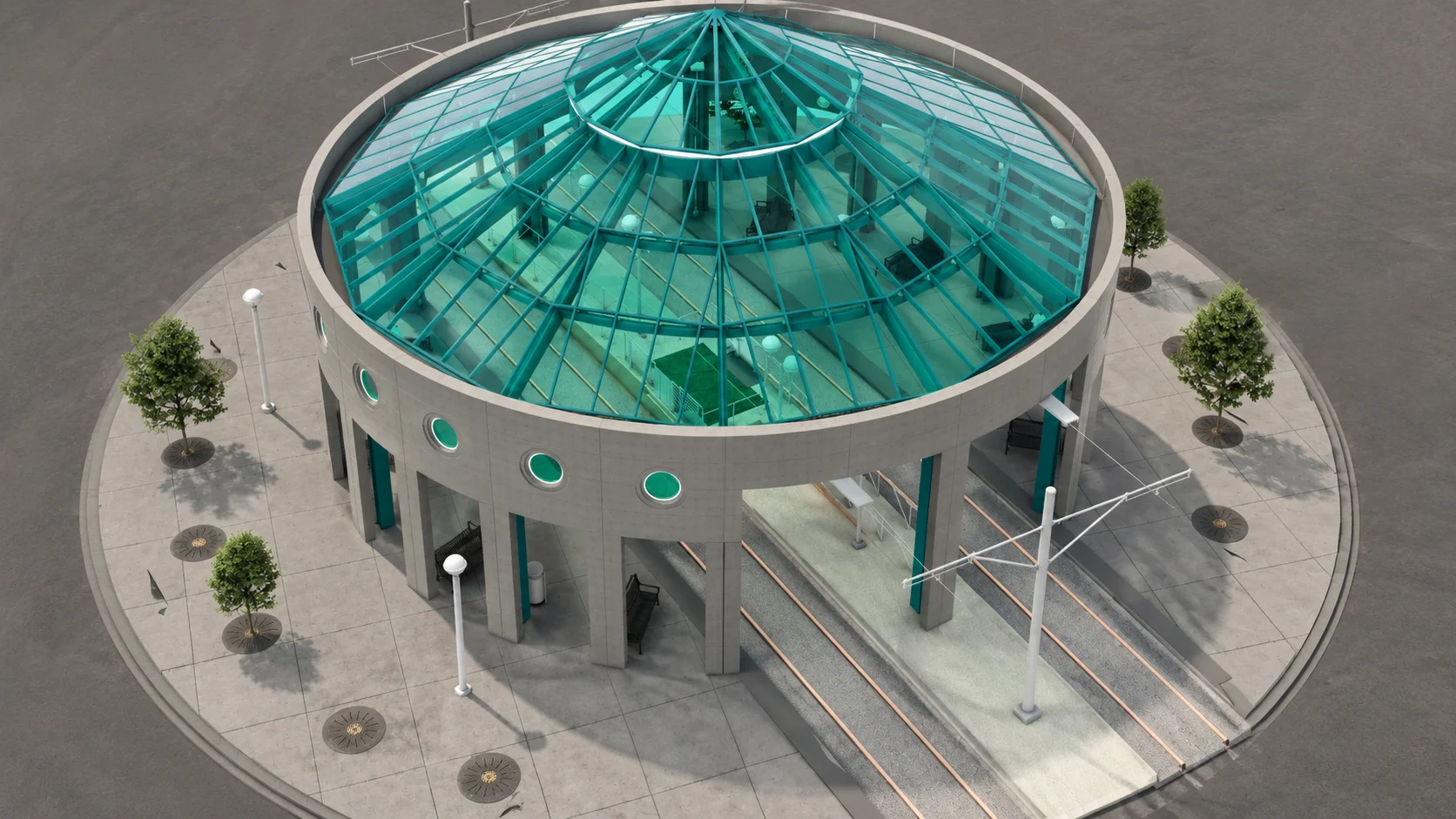
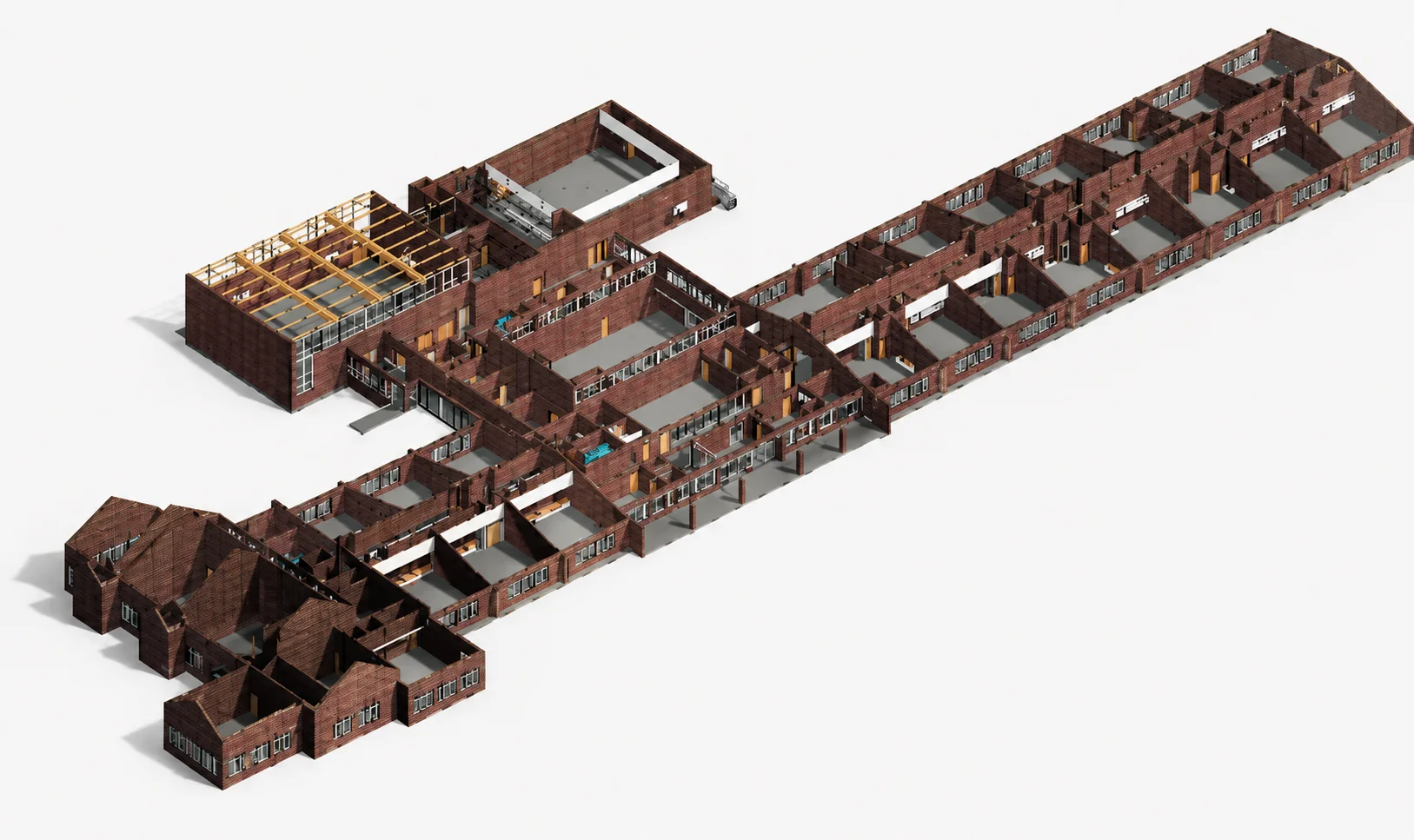
Transit Center Interchange as-built BIM model built from point cloud data, Florida, USA

Project teams we have supported

Adani
Emaar
L&T
Saudi Aramco
Hyundai Engineering & Construction
Network Rail
Al Jaber Group
Gleeds
JJ Rhatigan
Dubai Municipality
Shapoorji Pallonji
Siemens
Tata
WeWork
Adani
Emaar
L&T
Saudi Aramco
Hyundai Engineering & Construction
Network Rail
Al Jaber Group
Gleeds
JJ Rhatigan
Dubai Municipality
Shapoorji Pallonji
Siemens
Tata
WeWork

Point Cloud to BIM Projects in the U.S.

Existing buildings modeled from registered point clouds for renovation, retrofit, and campus modernization programs.

Recognized & Certified By

ISO 9001:2015
Certified
10 Best Startups
2023
Silicon India
Magazine Feature
Autodesk
Authorized Partner

What our point cloud to BIM service delivers

As-built BIM services in one coordinated package: modeled from your registered point cloud, checked against it, and delivered ready for design. Teams search for this work as laser scan to BIM, 3D scan to Revit, or existing conditions modeling. The deliverable is the same: a checked as-built Revit model, built in your template.

As-built Architectural Model

Walls, floors, ceilings, doors, and windows modeled from the point cloud, ready for your design team to work over.

As-built Structural Model

Columns, beams, slabs, and structural openings as they exist on site, coordinated with the architectural model.

As-built MEP Model

Visible mechanical, electrical, and plumbing systems modeled from the scan for coordination and retrofit design.

2D Drawings from the Model

Plans, sections, and elevations generated from the as-built model on request, so drawings and model always match.

QA Report Against the Point Cloud

Deviation checks documented and shared with delivery, so you can see how the model was verified, not just trust that it was.

Existing Conditions Documentation

A clean, organized record of the building as it stands, useful for facility management long after the project ends.

LOD 200 to 500, matched to what the model is for

We follow the BIMForum LOD Specification. The right level depends on the decisions the model has to support, and we confirm it with you before production.

01

LOD 200

Approximate geometry for massing, feasibility studies, and early cost planning.

02

LOD 300

Accurate, design-ready geometry. The level most renovation and retrofit design work needs.

03

LOD 350

LOD 300 plus interfaces and supports, where your design coordinates closely with existing elements.

04

LOD 400

Fabrication-level detail where scoped, for elements that will be manufactured from the model.

05

LOD 500

A verified facility record model for operations, maintenance, and future projects.

06

Not sure which LOD?

Send the point cloud for a free scope review and we will recommend the level that fits your project, no more, no less.

How accurate is scan to BIM?

Built for architecture firms, general contractors, survey and reality-capture firms that need modeling capacity, and owners building facility records, with working-hours overlap for U.S. teams.

01

Deviation checks

Models are compared against the point cloud during production, not after, so errors are caught while they are cheap to fix.

02

Tolerance agreed up front

The tolerance for your project is confirmed in writing before modeling starts, based on scan quality and how the model will be used.

03

Inputs we accept

Registered point clouds in RCP, RCS, E57, and LAS or LAZ formats, plus existing drawings and site records where you have them.

04

Work in your environment

Your Revit template and standards, your Autodesk Construction Cloud or BIM 360 project, and an NDA on request.

How does the scan to BIM process work?

Five steps from raw scan to a verified as-built model your team can design against.

1

Point cloud review

We review your registered point cloud for coverage and quality, and flag gaps before anything is modeled.

2

Standards and LOD setup

Template, naming, worksets, LOD, and tolerance are confirmed with you in writing.

3

Modeling

Architecture, structure, and MEP are modeled from the scan in one coordinated Revit file.

4

QA against the scan

Deviation checks against the point cloud, with the results recorded for your delivery.

5

Delivery and handover

Model, drawings if scoped, and a QA report, with a short handover note from our team.

Scan to BIM FAQs

Scan to BIM (also written Scan2BIM) converts laser scan and point cloud data into a Revit model of an existing building. It is the workflow most teams mean when they search for point cloud to Revit services. Instead of relying on old drawings, your team designs against a model that reflects what is actually on site: walls, structure, ceilings, and building services as they exist today.

We work from registered point clouds in RCP, RCS, E57, and LAS or LAZ formats. Existing drawings, photos, and site notes help where you have them, but the registered point cloud is the only essential input.

Most renovation and retrofit design work is covered at LOD 300. LOD 350 is worth adding where your design must coordinate closely with existing elements and interfaces. LOD 200 suits early feasibility, and LOD 500 is for a facility record model. We confirm the right level in the scope review before production starts.

Every model is checked against the point cloud with deviation checks during production, and the agreed tolerance is confirmed in writing before modeling starts, based on your scan quality and what the model will be used for. The delivery includes a QA report against the point cloud.

No. We model from scans captured by your team or your reality-capture partner, which keeps one clear line of responsibility for capture quality. Before modeling, we review the registered point cloud and flag coverage gaps, so problems surface before they cost design time.

It depends on the building size, the LOD, and the number of disciplines in scope. After a free review of your point cloud, we confirm the timeline in writing before production starts. Large buildings can be delivered in phases, floor by floor or zone by zone.

Yes. We model in your Revit template, naming conventions, and worksets, or in ours if you prefer. We can also work inside your Autodesk Construction Cloud or BIM 360 project, and sign an NDA on request.

US providers typically charge $0.50 to $2.00 or more per square foot for scan to BIM on standard commercial buildings. Our pricing covers the modeling stage only, from your registered point cloud, and runs lower: from $0.15 per square foot at LOD 200, from $0.20 at LOD 300, and from $0.40 at LOD 350 and above, depending on building complexity and the disciplines in scope. Most projects are quoted as a fixed price after a free review of your scan data, confirmed in writing before production starts, so the number you approve is the number you pay.

Get a scope review for your Scan to BIM project

Share your registered point cloud, or a sample section of it, with the LOD you need and your project standards. We will review the scan and confirm the scope, tolerance, and timeline with you.

  • Point cloud reviewed before we quote
  • LOD and tolerance confirmed in writing
  • Model checked against your scan data
Book Your Free Discovery Call

No commitment required. Share your brief and we will confirm scope and feasibility within 4 hours.

Construction team on site — project delivered on time